Getting started
Join the beta, and copy your key
Download and open the app
Paste your key
Tick the folders to read
Search
A document's name, or words from a slide.
The four answers
Use this one
Open the copy it names.
Use this one, but check 3 slides
Open the copy it names, then check the slides listed. Compare shows them side by side.
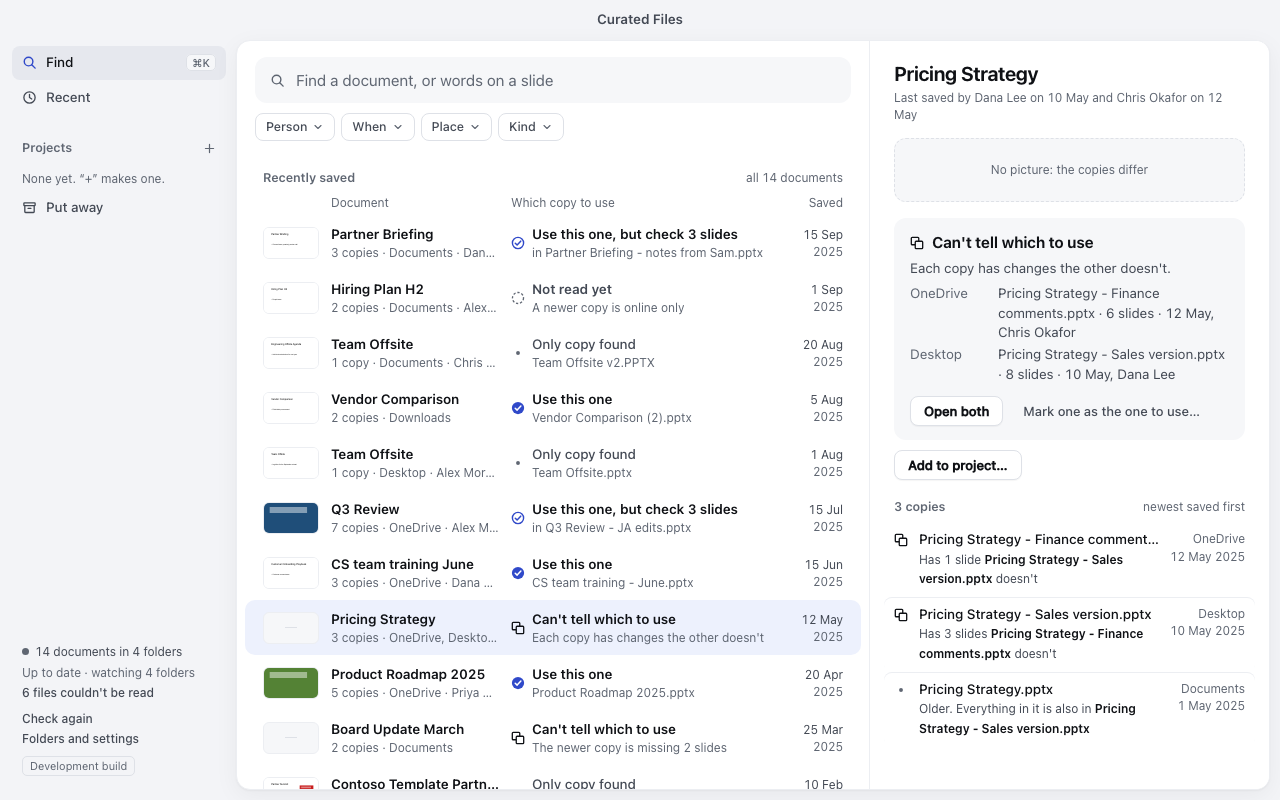
Can't tell which to use
Compare or open the copies, then mark one as the one to use.
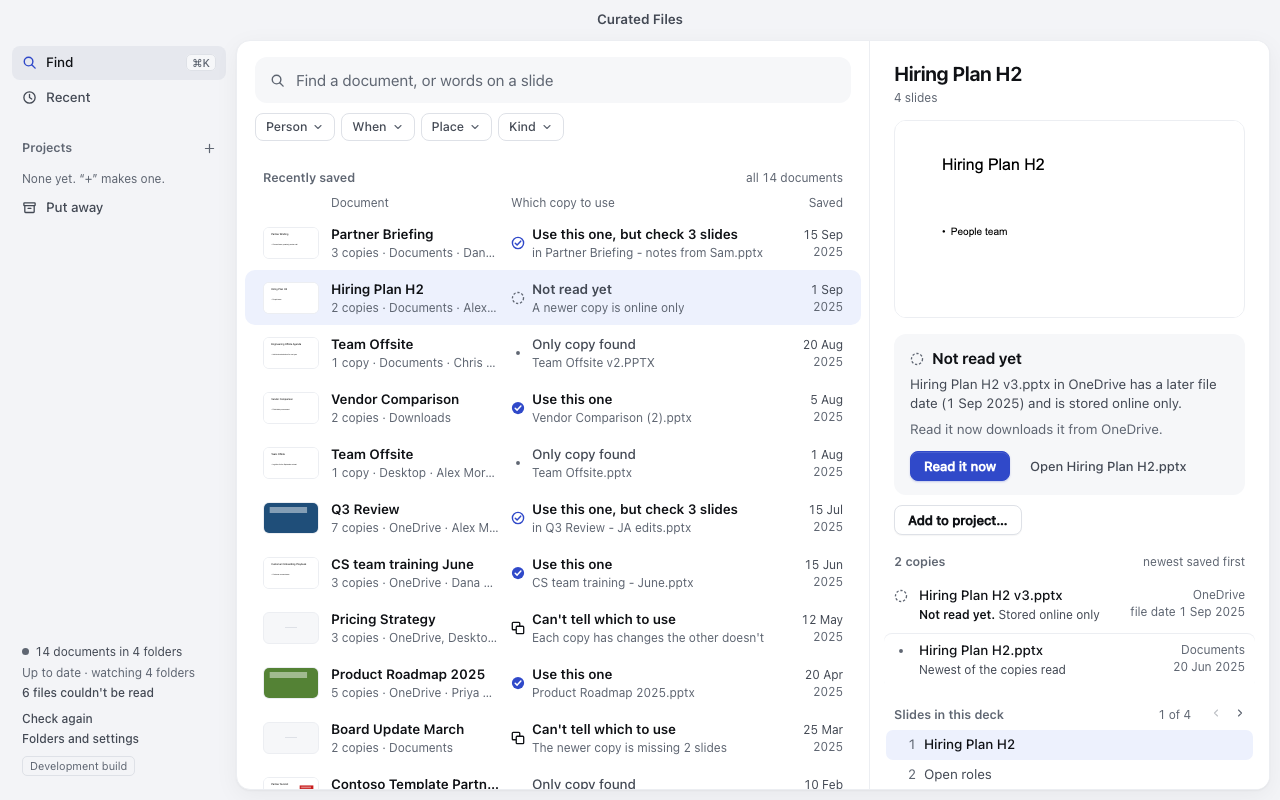
Not read yet
Read it now downloads the file and reads it.
Assistants
- Open a project and choose Assistant….
- Turn on Let assistants work in the project.
- Claude's desktop app: choose Connect…, then restart Claude. ChatGPT or any other assistant: give it the project folder.
- Pick a copy for anything held back.
Files the assistant saves into the project appear under the document they came from. Compare shows what changed.
Your licence
One key works on 3 computers at once. To use another, remove one in the app's settings. It works offline for 30 days after its last licence check.
Cancelling
Open the subscription page and enter your licence key. The app works until the end of the period you paid for.
Refunds
Email support@curatedfiles.com within 30 days of your first payment for a full refund. The licence then stops working and the subscription is cancelled.
Contact
Email support@curatedfiles.com. For licence questions, give the last four characters of your key, not the whole key.