Curated Files

Find the right version of anything you've worked on.

Curated Files says which copy of each deck to use.

For Mac. Not yet for Windows. Free for 30 days during the beta.

A sample, not a recording. Ten files called Q3 Review are found in four folders. Curated Files folds them into one line, "Use this one, but check 3 slides", and names the three slides to check: slide 3, Regional performance; slide 5, Customer rollout; slide 6, Risks and mitigations.

1. Ten files called Q3 Review, in four places.

DocumentWhich copy to useSaved
Q3 Review v1.pptxDocumentsNot compared yet2 Jun 2025
Q3 Review v2.pptxDocumentsNot compared yet9 Jun 2025
Q3 Review v3 (Jordan).pptxDownloadsNot compared yet18 Jun 2025
Q3 Review v4.pptxOneDriveNot compared yet24 Jun 2025
Q3 Review - board draft.pptxOneDriveNot compared yet1 Jul 2025
Q3 Review v5.pptxDesktopNot compared yet4 Jul 2025
Q3 Review - JA edits.pptxDownloadsNot compared yet10 Jul 2025
Q3 Review for Alex.pptxDownloadsNot compared yet12 Jul 2025
Q3 Review - send.pptxOneDriveNot compared yet14 Jul 2025
Q3 Review v6.pptxOneDriveNot compared yet15 Jul 2025

2. One line, one answer.

DocumentWhich copy to useSaved
Q3 Review10 copies ยท OneDrive, Downloads, Documents, DesktopUse this one, but check 3 slidesin Q3 Review - JA edits.pptx15 Jul 2025

3. And what to check.

Use this one, but check 3 slides in another copy

Q3 Review v6.pptx in OneDrive

Newest saved, 15 Jul 2025, Alex Morgan. Has every slide the others have.


Jordan's copy has changes on 3 slides this one doesn't. It's Q3 Review - JA edits.pptx in Downloads.

Slide 3
Regional performance
Slide 5
Customer rollout
Slide 6
Risks and mitigations

A sample with invented files. Not a recording.

The Curated Files window. A list of documents, one line each, with the answer to which copy to use beside each: for example 'Use this one, but check 3 slides' for Q3 Review. On the right, the Q3 Review box says which copy to use and why, lists slides 3, 5 and 6 to check, and has a Compare the 3 slides button.
Every document, one line, one answer.
A page titled 'Jordan's copy differs from yours on 3 slides'. Slides 3, 5 and 6 are shown side by side, yours on the left and Jordan's on the right, with the words that differ underlined and shaded on both sides.
The slides to check, side by side.
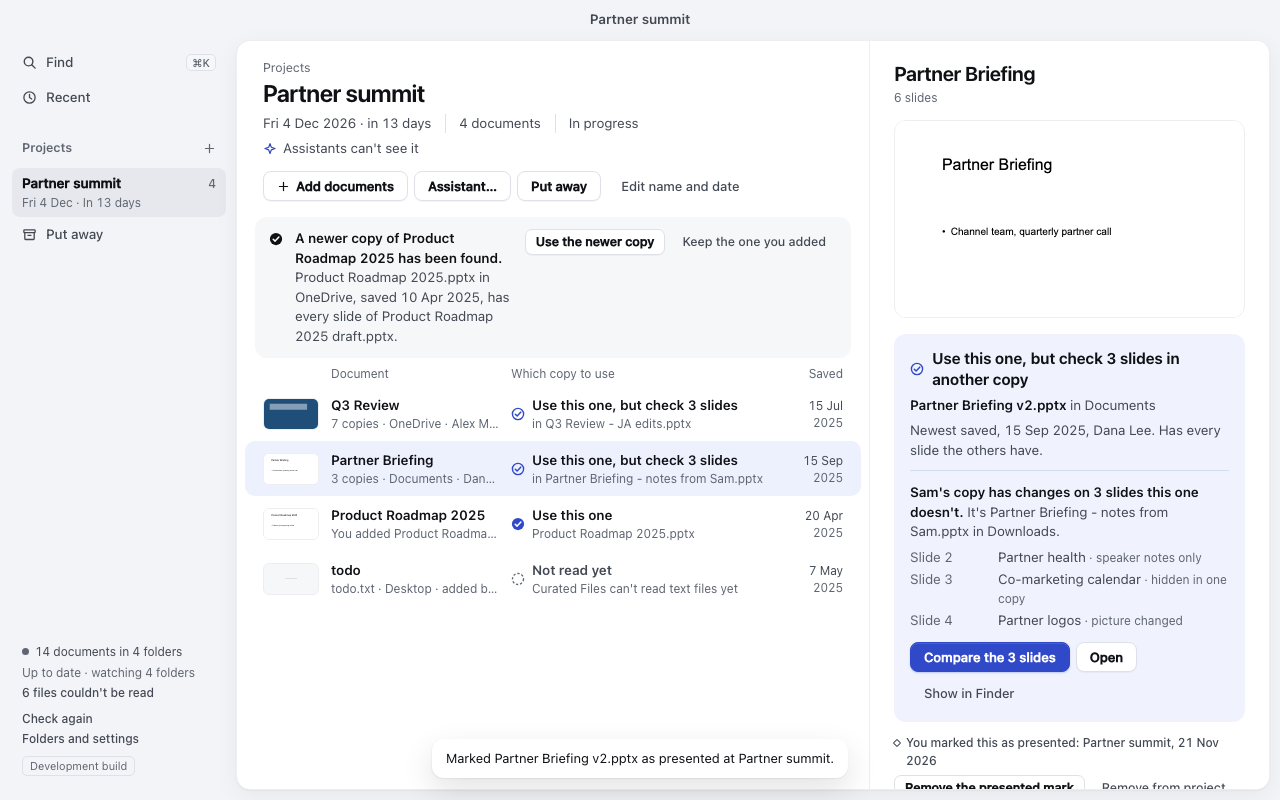
A project called Partner summit, due 4 December, with documents from different folders gathered in one list. A note says a newer copy of one document has been found, with buttons to use it or keep the one you added.
A project: documents from any folder, ready for your AI assistant.
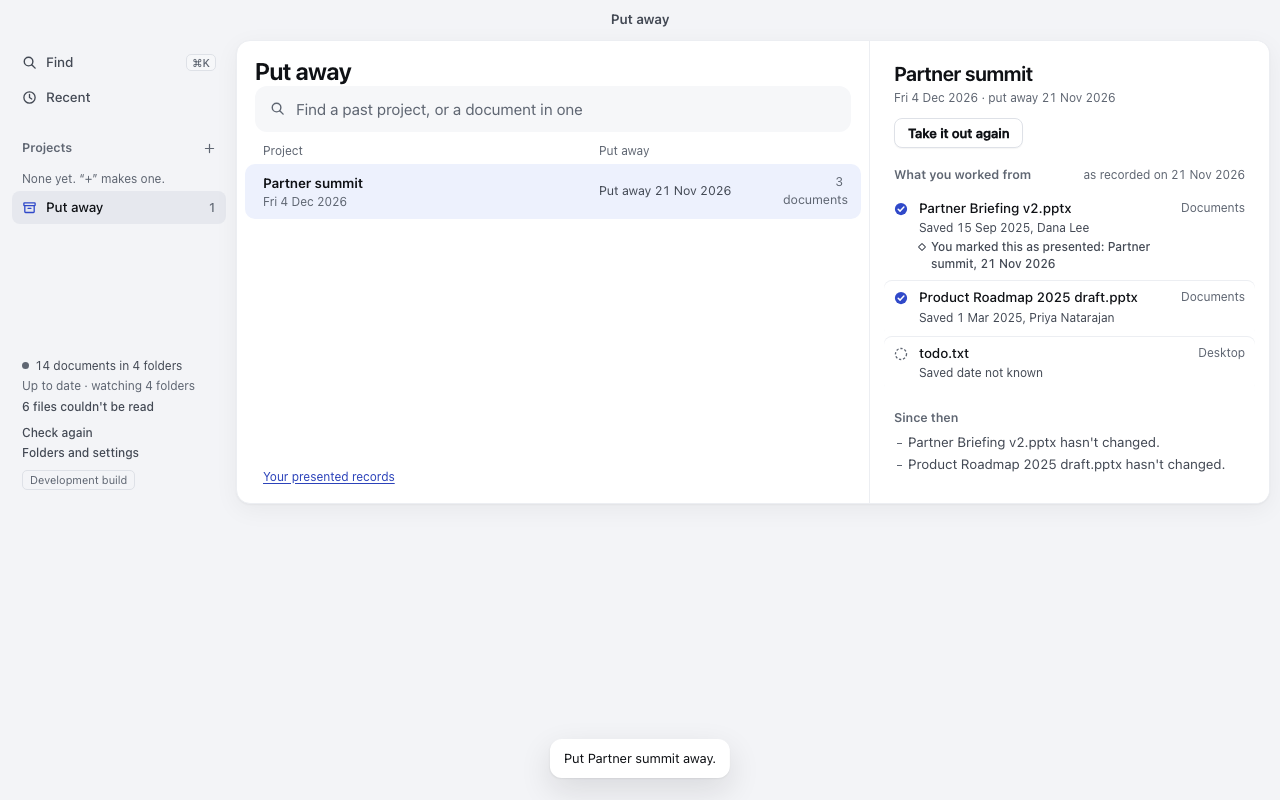
The Put away list with one finished project selected. A record headed 'What you worked from' lists each document used, its folder, when it was saved, and a note that you marked one as presented.
Put away: a record of what you worked from.

Pricing

Free for 30 days during the beta.

After the beta:

Annual

$79 a year

$6.58 a month. Renews yearly.

Monthly

$12 a month

Renews monthly.

Available in the United States for now. For Mac. Not yet for Windows. 3 computers per licence.

30-day refund. Email support@curatedfiles.com within 30 days of your first payment for a full refund. The licence then stops working and the subscription is cancelled.

Download

macOS 13 or later.